Designers today have access to an incredible array of resources for creating stunning graphics, websites, and visual projects. Whether you’re a beginner or an experienced professional, design assets like fonts, templates, vectors, and stock images have become essential tools of the trade. But with so many options available, one key question arises. Should you stick with free design assets or invest in paid ones?
This blog post will explore the differences between free and paid design assets, highlighting the pros and cons of each. We’ll help you identify which option suits your needs best, saving you time, energy, and even money in the long run.
Understanding Free and Paid Design Assets
What are free design assets?
Free assets are resources provided online at no cost. They typically include fonts, images, icons, illustrations, videos, templates, and more. These assets are often accessible through platforms like Unsplash, Google Fonts, Canva (basic features), and Freepik. While free, these resources often come with restrictions, such as attribution requirements or limited usage rights.
Examples of free platforms:
- Unsplash offers high-resolution stock images for personal and commercial use.
- Google Fonts provides free typefaces for online and offline projects.
- Canva Free has templates, graphics, and elements suitable for simple blog posts and social media visuals.
What are paid design assets?
Paid assets are premium resources that come with a cost, either as one-time purchases or subscription models. Examples include Adobe Stock, Envato Elements, and Shutterstock. Typically, paid resources provide higher quality, exclusive designs, and more flexible licensing terms. They are designed with professional applications in mind.
Examples of paid platforms:
- Adobe Stock offers a vast library of stock images, illustrations, and videos tailored for professionals.
- Envato Elements provides unlimited downloads of unique assets like WordPress themes, templates, and 3D models.
- Shutterstock includes curated, high-resolution imagery backed by diverse licensing options.
The Pros and Cons of Free Design Assets

Pros of using free design assets
- Cost Savings:
The most obvious advantage is the zero-dollar price tag. Free assets are budget-friendly and allow small businesses, startups, and hobbyists to creative designs without breaking the bank.
- Accessibility:
With fewer barriers to entry, free assets are available to anyone with an internet connection. Their universal accessibility ensures that even creators with limited resources can develop quality content.
- Learning Tools:
Free resources are perfect for designers new to the field. They allow you to experiment and hone your skills without the financial commitment of paid tools.
Cons of using free design assets
- Limited Variety:
Free assets often lack the uniqueness or exclusivity of their paid counterparts. Many users rely on the same free images or fonts, leading to projects that look similar or lack individuality.
- Quality Concerns:
Free assets may not always meet professional standards. For instance, low-resolution images or poorly formatted files can limit your design’s impact.
- Usage Restrictions:
Licensing for free resources often requires attribution or imposes limitations on commercial use. Misunderstanding these terms can lead to copyright issues for freelancers or businesses.
- Time-Consuming:
Sifting through platforms for high-quality free resources is often a lengthy process. Free options can be scattered or accompanied by irrelevant items, making it a challenge to find exactly what you need.
The Pros and Cons of Paid Design Assets
Pros of using paid design assets
- Higher Quality:
Paid assets are created by professionals and undergo stricter quality control. From resolution and compatibility to artistic intent, these resources are optimized for top-tier performance.
- Exclusive Content:
Paid platforms often feature unique designs unavailable through free services. This ensures that your work stands out, whether it’s for a client project, branding, or personal creations.
- Flexibility:
Licensing with paid assets typically includes wider permissions. You can avoid copyright restrictions and confidently use these designs for commercial purposes without fearing legal repercussions.
- Time Efficiency:
Access to curated libraries means less hassle and quicker results. Paid platforms save time by offering niche-specific, ready-to-use designs.
- Customer Support:
Many premium services offer customer support and updates to ensure smooth usage. From troubleshooting file formats to contextual advice, having access to expert help is invaluable.
Cons of using paid design assets
- Cost:
The biggest downside is, of course, the price. Subscriptions or one-time purchases can add up, especially for small businesses or individuals on a budget.
- Over-reliance:
Designers may become dependent on paid assets, hindering creativity and innovation. This can result in generic or repetitive work if they consistently rely on the same tools.
- Accessibility:
While paid platforms are user-friendly, not everyone can afford subscriptions. Budget constraints might exclude some users from taking advantage of these premium resources.
Free or Paid How to Decide
Factors to consider when choosing between free and paid assets
The choice between free and paid design assets depends on your specific project, budget, and goals. Here are the key factors to weigh:
- Project Scope:
For high-visibility projects like branding campaigns or advertisements, investing in paid assets ensures quality and originality. However, free assets might suffice for internal documents or simple social media posts.
- Budget:
Paid assets are worth the investment if your business has allocated funds for design. However, for startups or independent designers, free platforms are a practical alternative.
- Frequency:
If you require design assets frequently, consider subscriptions with unlimited downloads (e.g., Envato Elements). Occasional users can benefit more from free resources.
- Deadline:
Paid resources are a timesaver for tight deadlines. With curated libraries, there’s no need to spend hours hunting for the right assets.
- Skill Level:
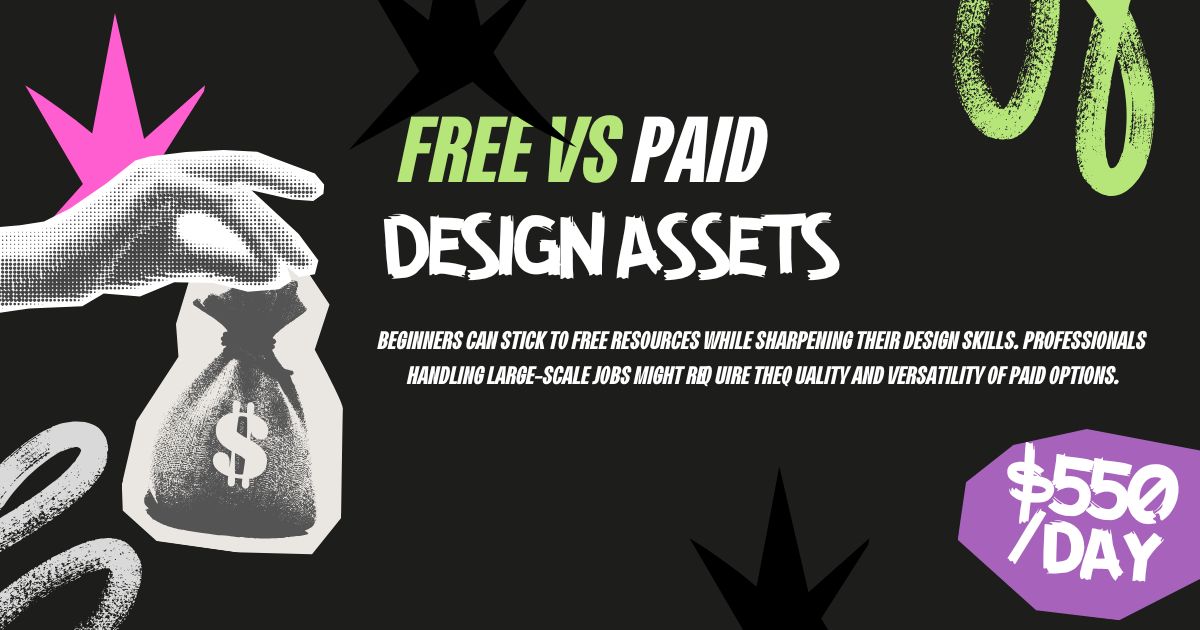
Beginners can stick to free resources while sharpening their design skills. Professionals handling large-scale jobs might require the quality and versatility of paid options.
The Role of Hybrid Approaches

For many designers, a hybrid approach works best. By combining free and paid resources, you can stretch your budget while maintaining originality. For example:
- Use premium assets for client-facing or high-profile work.
- Leverage free tools for personal projects, drafts, or content with limited exposure.
This strategy allows you to balance creativity, quality, and cost.
Which Option Is Right for You
Both free and paid design assets serve valuable purposes within the design world. Free assets are ideal for those working under financial constraints or just starting out, offering a wealth of accessible tools. On the other hand, paid design assets provide professional-grade quality and exclusivity, essential for high-stakes or high-visibility projects.
At the end of the day, the right choice depends on your specific needs, goals, and, most importantly, your budget. By evaluating your project’s requirements and knowing when to invest, you can empower your design process and produce your best work yet.