

Imagine a classroom where voice search instantly answers complex queries, replacing digital distraction with calm, focused learning that empowers both students and educators daily.
This comprehensive guide explores the powerful intersection of modern education and audio technology. By integrating strategic tools, educators can dramatically reduce screen-induced anxiety, enhance reading comprehension, streamline administrative tasks, and foster an environment where deep, focused learning thrives naturally.
The Evolution of Educational Technology
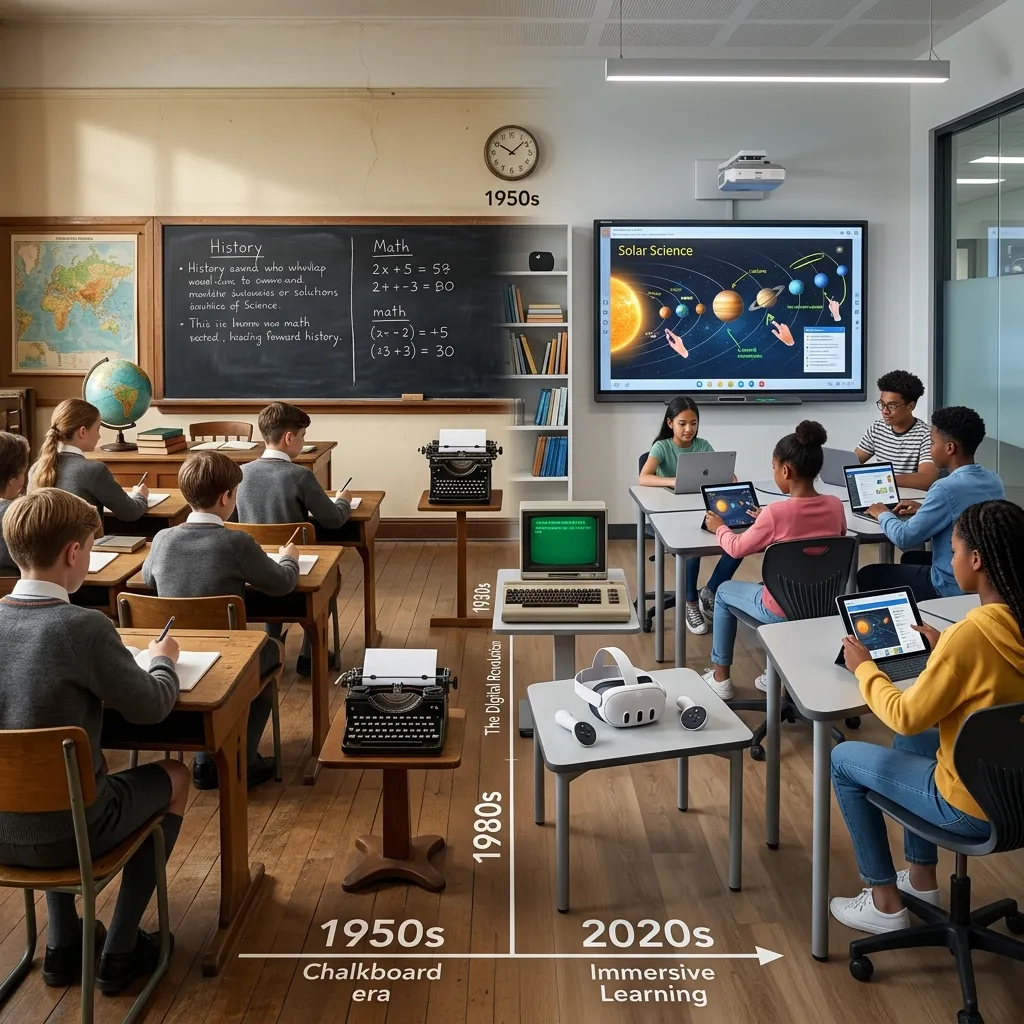
The modern educational landscape has shifted dramatically over the past decade. With the introduction of endless screens and notifications, students often face unprecedented levels of distraction. This is where voice search emerges as a pivotal tool for creating a more focused learning environment. By allowing students to bypass visually cluttered interfaces, educators can guide their classrooms back to a state of calm.
Why Screen Fatigue is Disrupting Learning
We know that excessive screen time leads to cognitive overload. When students constantly navigate through visual menus, pop-ups, and text-heavy search results, their working memory becomes taxed. This cognitive strain reduces their capacity to absorb and retain core curriculum concepts. Voice search mitigates this by providing direct, auditory answers. Instead of falling down a visual rabbit hole, a student simply asks a question and receives a concise response, keeping their attention anchored to the task at hand.
The Psychology of Audio-Based Learning
Auditory learning taps into a different cognitive pathway than visual processing. When a student interacts with an educational device using spoken language, it mimics natural human conversation. This interaction feels less like traditional studying and more like an engaging dialogue. By prioritizing student engagement, schools have found that audio interfaces reduce the intimidation factor of complex subjects. A student struggling with reading might feel overwhelmed by a dense encyclopedia page but can easily digest the same information when it is spoken aloud through voice search.
How Voice Search Enhances Classroom Calm
Creating a peaceful classroom environment is a top priority for educators. Disruptions often stem from frustration—students unable to find the right resource, log into a platform, or spell a difficult word.
Frictionless Access to Information
Voice search removes the friction from information retrieval. When a student needs to know the capital of Brazil or the definition of a specific scientific term, they do not need to boot up a laptop, open a browser, and type. They simply ask. This immediate satisfaction of curiosity prevents the frustration that often leads to off-task behavior. The seamless nature of the technology supports seamless edtech integration without the usual technical hiccups.
Reducing Reading Anxiety for Early Learners
For early readers, traditional text-based search engines present a significant barrier. If you cannot spell the word, you cannot search for it. This creates a cycle of dependency and anxiety. By utilizing audio recognition, children can explore topics they are interested in regardless of their current spelling proficiency. This independence builds confidence. According to research on early childhood development, self-directed learning is crucial for building long-term academic resilience.
Conversational Keywords and Content Structuring

Optimizing for voice search requires moving beyond single-word or short-phrase keywords and embracing long-tail, question-oriented phrases. People speak differently than they type; they tend to use natural language, including filler words and complete sentences. Tools like AnswerThePublic and Google’s “People also ask” feature can help you discover the exact questions your target audience poses. When you identify high-value queries—such as “What is the easiest way to improve voice search optimization?”—integrate them directly into your headings and FAQ sections.
Effective content structuring for voice search optimization also aligns with winning featured snippets. Search engines often extract short, clear answers from structured markup, reading them aloud via smart assistants. To improve your odds of securing a snippet spot, adopt the following best practices:
- Use concise introductory sentences: Keep them under 50 words and answer the question directly.
- Employ bullet lists or tables: Present step-by-step processes or comparative data in list form for easy parsing.
- Implement subheadings: Use
<h3>tags for related questions or subtopics to create a clear hierarchy.
Here’s a sample structure for the question, “How can I enhance voice search optimization?”:
<h2>How can I enhance voice search optimization?</h2>
Answer: To improve voice search optimization, focus on conversational keywords, implement structured data, and enhance mobile page speed.
Details: Below this, use bullet points or numbered steps to expand on each tactic, keeping each segment concise.
By crafting content that mirrors spoken queries and organizing it in a voice-friendly format, you position your site to capture both featured snippets and voice assistant responses. This approach goes hand in hand with conversational keyword targeting and paves the way for stronger visibility in voice-driven search results.
Local SEO and Structured Data Markup
Today, a significant portion of voice searches carry local intent—users seeking nearby restaurants, shops, or services. To capitalize on these opportunities, ensure your Google Business Profile is fully optimized with accurate address details, opening hours, and contact information. Consistency across citations on local directories and review platforms further boosts your credibility in both traditional and voice search results.
Implementing schema markup is another critical step for voice search optimization. Structured data helps search engines and smart assistants interpret your content with greater precision. The Google Structured Data documentation highlights various schema types, but for voice queries, the most impactful are:
- LocalBusiness: Annotate your NAP (Name, Address, Phone) information, service areas, and business hours.
- FAQPage: Tag common questions and answers to enhance the likelihood of voice assistants vocalizing your content.
- HowTo: Break down processes into ordered steps, each tagged to ensure clarity.
Here’s a simplified example of FAQPage schema using JSON-LD:
{
  "@context": "https://schema.org",
  "@type": "FAQPage",
  "mainEntity": [{
    "@type": "Question",
    "name": "What are the best practices for voice search optimization?",
    "acceptedAnswer": {
      "@type": "Answer",
      "text": "Use conversational keywords, structured data, and fast mobile pages."
    }
  }]
}
By combining local SEO best practices with targeted schema markup, you deliver clear signals that help search engines surface your content to nearby users via voice assistants. This dual approach establishes a solid foundation for capturing local, on-the-go voice queries.
Technical Performance and Mobile Experience

Speed and usability play a pivotal role in voice search optimization. Voice queries are overwhelmingly made on mobile devices, and users expect near-instant responses. A slow-loading page risks losing both human visitors and smart assistants that default to faster sources. To audit your site’s performance, leverage tools like Google PageSpeed Insights or GTmetrix. These platforms identify bottlenecks ranging from unoptimized images to render-blocking JavaScript.
Key recommendations include:
- Image optimization: Compress images without sacrificing quality, and serve them in next-gen formats like WebP.
- Code minification: Minify CSS and JavaScript files to reduce file size and improve render times.
- Browser caching: Leverage caching strategies to serve repeat visitors faster.
Beyond page speed, ensure your mobile interface is thumb-friendly and accessible. Voice search optimization extends to user experience: intuitive navigation, large tap targets, and legible text enhance engagement and reduce bounce rates. Consider implementing a responsive design framework that dynamically adjusts to various screen sizes and orientations. Additionally, test your site on multiple devices and network conditions to confirm consistent performance.
By prioritizing technical excellence and mobile-first design, you not only satisfy user expectations but also meet the criteria search engines use to rank voice-friendly content. Fast, seamless experiences are essential for capturing and retaining voice-driven visitors.
Comparing Educational Search Methods
To truly understand the value of audio-driven inquiries, we must compare them to traditional text-based research.
Educational Interface Comparison Table
|
Feature |
Traditional Text Search |
Voice Search in Education |
Impact on Student Focus |
|---|---|---|---|
|
Input Method |
Keyboard/Mouse |
Natural Spoken Language |
High (removes mechanical barriers) |
|
Speed of Retrieval |
Slower (requires typing/clicking) |
Instant (immediate auditory response) |
High (prevents attention drift) |
|
Visual Distraction |
High (ads, multiple links, pop-ups) |
Low (single, direct answer) |
High (maintains classroom calm) |
|
Accessibility |
Requires baseline spelling/motor skills |
Usable by early readers and diverse learners |
High (promotes inclusive learning) |
|
Cognitive Load |
High (reading, filtering information) |
Low (listening, conversational) |
High (frees memory for core concepts) |
Strategic Implementation in the Classroom
Introducing new technology into a school environment requires careful planning. If not implemented strategically, even the best tools can become distractions.
Setting Clear Boundaries and Routines
Educators must establish clear rules for when and how audio tools are used. For example, teachers might designate a specific “research station” where students can go to ask questions softly. Alternatively, they might implement “Ask the Assistant” times during project-based learning. Without structured routines, multiple students talking to devices simultaneously can disrupt the calm atmosphere the technology is meant to foster.
Curating Safe and Walled-Garden Ecosystems
Safety and privacy are non-negotiable. Schools must utilize devices and software specifically designed for educational environments, compliant with student data privacy laws. These “walled gardens” ensure that voice search results are age-appropriate, free from commercial advertising, and incapable of accessing restricted content. Educators should reference guidelines from organizations like Common Sense Education when evaluating tools.
Expert Insights and Pro Tips
To maximize the effectiveness of these tools, consider the following insights from educational technology specialists.
Pro Tips for Educators
- Model the Behavior: Before expecting students to use the technology effectively, model it yourself. Ask the device questions in front of the class, demonstrating how to phrase queries clearly and how to critically evaluate the audio answer provided.
- Use for Collaborative Learning: Encourage small groups to use a single device for collaborative research. This turns a solo activity into a team-building exercise, promoting communication and shared discovery.
- Focus on Open-Ended Exploration: While great for factual questions, encourage students to ask ‘how’ and ‘why’ questions to stimulate deeper thinking and curiosity.
Measuring Impact and Continuous Adaptation
Voice search optimization isn’t a one-time effort; it requires ongoing measurement and refinement. Traditional analytics platforms may not explicitly label voice traffic, but you can infer performance through patterns in question-based impressions, click-through rates, and featured snippet rankings. In Google Search Console, filter your queries by question keywords—such as “how,” “what,” and “best”—to monitor shifts in visibility and clicks.
For deeper insights into voice-driven conversions, consider integrating call-tracking or form-tracking solutions that attribute leads to specific pages or queries. Tools like CallRail or HubSpot’s tracking URLs can help you differentiate voice-driven contacts from other channels. Regularly review these metrics to identify content gaps and evolving user questions.
Continuous adaptation also involves staying informed about algorithm updates and emerging voice technologies. Subscribe to reputable industry publications, follow official blogs from search engine providers, and engage with research from academic institutions. For instance, the Pew Research Center offers valuable data on voice assistant adoption and usage trends that can inform your strategy.
By instituting a regular audit cycle—reviewing analytics, updating FAQs, and refreshing structured data—you ensure your voice search optimization efforts remain aligned with user expectations and search engine standards. This iterative approach turns voice-focused content into a sustainable competitive advantage.
Conclusion
Voice search optimization has shifted from being a futuristic experiment to an essential element of modern content marketing. In today’s environment, brands that master conversational keyword strategies, implement robust structured data, and prioritize mobile performance will lead the way in capturing voice-driven traffic. By continuously measuring impact and refining your approach, you can stay agile in a landscape defined by rapid technological change. Embrace the principles outlined here to ensure your content is the answer smart assistants vocalize today and beyond, securing your position at the forefront of voice-driven discovery.
Frequently Asked Questions
1. How does voice search improve classroom accessibility?
It allows students with visual impairments, dyslexia, or physical disabilities to access information without relying on typing or reading from a screen, creating a more inclusive learning environment.
2. Can spoken queries reduce student anxiety?
Yes. By removing the visual overwhelm of traditional search engine results and eliminating digital distractions, students experience less cognitive overload, which naturally reduces academic anxiety and promotes a calmer mind.
3. Are there privacy risks with smart speakers in classrooms?
Privacy is a valid concern. Schools must use devices compliant with educational privacy laws (like FERPA in the US), ensure microphones are muted when not in active use, and select platforms that do not store audio recordings.
4. How does conversational technology impact critical thinking?
When used correctly, it aids critical thinking by instantly providing factual data and definitions, freeing up the student’s cognitive energy to analyze and synthesize the information rather than spending time hunting for it.
5. What is the difference between typed and spoken search queries?
Spoken queries are typically longer, phrased as complete questions (e.g., “Who discovered penicillin?”), and utilize natural conversational language, whereas typed queries are often short, fragmented keywords (e.g., “penicillin discoverer”).
6. How can teachers incorporate auditory technology into lesson plans?
Teachers can use it for quick fact-checking during lectures, as an interactive tool for group trivia, or as an assistive device during independent study time to keep students focused on their primary tasks.
7. Does relying on smart assistants decrease reading comprehension?
No, provided it is used as a supplementary tool. It is excellent for quick reference, but students must still engage with long-form texts and books to develop deep reading comprehension skills.
8. Why is screen fatigue such a major problem in education?
Prolonged screen time causes eye strain, headaches, and a fragmented attention span due to constant notifications and blue light exposure. Transitioning some tasks to auditory formats gives the brain and eyes a necessary rest.
9. How should educational websites optimize for this technology?
Educational content should be structured with conversational, long-tail keyword questions and provide direct, concise answers immediately following the question to capture featured snippets and auditory results.
10. Is voice search effective for all age groups in education?
Yes. For young children, it assists with vocabulary and pronunciation before they learn to type. For older students and researchers, it streamlines complex data retrieval and enhances multitasking during hands-on projects.